|
The length of this set
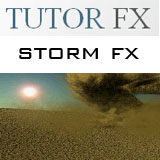
of videos is rather short but the videos show how to create the tornado pictured on the
website. You
get to create the tornado exactly as it is
pictured on the web site. The series of
videos are rather short - they only add up to 37
minutes and 33 seconds of tutorial time. The setup
of the scene includes the modelling and texturing
of the ground object, adding the sky in the
backdrop and setting up the lighting and
sun. After the scene is set the author then
begins setting up the particles for both the sand
storm tornado and the dust clouds around it.
Unfortunately there is not a lot of discussion as
to why something is done you just have to follow
along and input all the same values into the
correct dialogue boxes as the author. The
author also makes reference to how you can
"play" with the values to tweak things
but never discusses what you should be playing
with or what to expect when values change.
However, since particles show up in real time in
the LightWave display it is usually fun to play
with various values and see what happens.
I was very
disappointed with the decision by the author to
include hypervoxel presets on the CD. Not
that including these files is a bad thing it's
just that the author uses these files to
"surface" the hypervoxels to create the
final look of the particles and never even
attempts to try and explain the values that are
used. The author does show us how to texture
the sand (ground) object so why not the actual
storm that this tutorial is supposed to be
about? Of course, you can always
"play" with the values in the
hypervoxels panel to see what happens but it would
have been nice for the author to explain the
values a little.
I would also like
to discuss a few technical issues. For
instance, when I put
the CD into the drive I was expecting to find a
series of videos ready to watch. What I got
instead was 15 zip files that I had to unzip onto
my hard drive. The videos expand quite a bit
actually. The original zip files take up
about 498 megs of space but unzipped expand to
2.47 GB! Why the original files weren't just
burned onto a data DVD is somewhat of a mystery so
be prepared to spend 10 minutes or so unzipping
all the files. Some of the files are huge
(one video is 481 Megs) so be prepared if you have
a slower system to close down all other programs
to watch the videos. My advice to the author
would be to find a better codec than the one used
to help compress the file sizes on these videos
down to something a little more manageable.
One video is a whopping 489 Megs in size but is
only 5 minutes long.
Now we get into
watching the actual videos. It took me a
while to find a player that would work. I
tried the Microsoft Media Player but the video was
so far behind the sound that it was completely
unwatchable. Syncing with the sound and the
video was a real problem with a variety of players
that I tried until I tried it using the Quicktime
Player which played the files acceptably but by no
means perfectly. The video is beautiful -
crisp and clean at 1040 x 796 pixels but the sound
is disappointing - it's tinny and echoey like the
author is talking through a pipe. The sound
is clear enough to hear the author clearly though
so you should have no problems understanding
him. I found that the sound popped and
clicked as though it were trying to keep up with
the video though but not badly enough that it was
too annoying.
|