|
There are two ways to
get this tutorial, by mail or by download (or
both). The download version is less expensive
For this particular tutorial I received the files
via download in two 170 Meg zipped files.
The files are easy to unzip and install. The
package contains the video tutorials and the
content files as well.
At first I had a hard
time with the video files not playing properly on
my system but a quick upgrade to the free
Quicktime 7 player and I was off and running
smoothly. The videos are a high quality and
the sound is clean and syncs well with the video.
Videos run in 1024 x 768 pixel resolution.
The author,
Nicholas, introduces you to the model that you are about to
create, a human heart. This is a great
beginner tutorial on creating an organic form and
it is amazing how few tools in the LightWave
toolset are actually needed to model the heart
object. The
first video is an introduction to the set and
Nicholas gets the viewer setup and ready to model
right away. The images that he uses as background
reference to model the heart are provided with the
videos. After the intial setup with LightWave we
spend the next 6 videos modeling 3 separate
sections of the human heart. Using just a few
modeling tools we are taught how to create the
basic shape and then build from there, all
starting with a basic box. Nicholas explains which
tool he is using and also tells you the keyboard
shortcuts as you follow along. NIcholas also
explains the "flow of polygons" and what
to watch out for while modeling to create a clean
object. There
are also two videos that introduce the viewer on
creating UV maps for this object. The first of the
two videos touches on creating a UV map and some
of the pitfalls / benefits of each of the types of
UV maps. In this video NIcholas also begins
mapping a section of the model and explains what
he is doing and why. In the second UV
mapping video Nicholas shows us an entirely
different method of creating a UV map which is
often used. These videos are merely
introductions and do not go into too much detail.
A texture is never actually applied to the model
using the UV coordinates so it is difficult to
tell how well the UV mapping actually works with
the model. The
last video finishes the UV mapping instruction and
covers another modeling tool (bandsaw pro) for
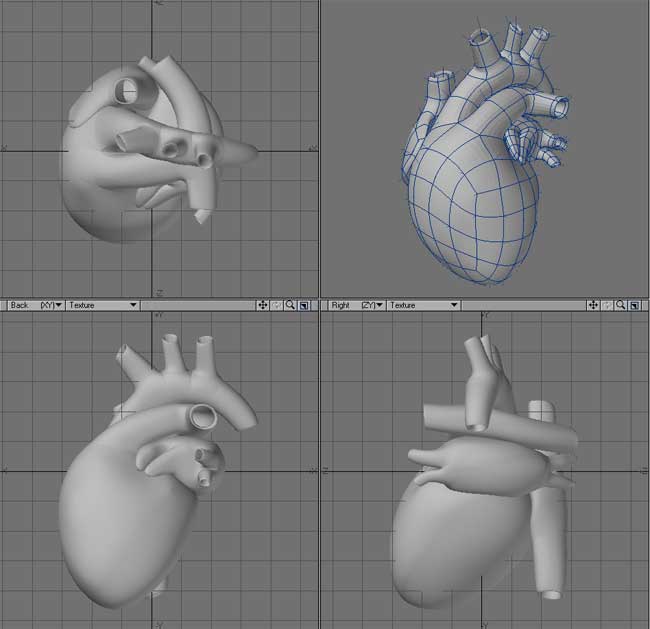
interest sake. By the end you will have modeled
the heart as shown on the image above. I've also
included the heart I modeled by following along at
the bottom of this review. In
my opinion, the modeling videos are very well
done. The pace is quick but managable and Nicholas
dialogues well with the viewer explaining the
steps he is taking and always remembers to reminds
us of the keyboard shortcuts he is using to
activate a particular tool. The UV creation videos
are a bit lacking but then UV mapping can be a
very complicated process so Nicholas at
least tries to explain the two methods that he
shows you. I would like to have seen him actually
apply an image to the UV map he creates so we can
visualize what the final outcome looks like. The
model that comes with the videos has only one part
UV mapped (the one he maps in the videos) and it
does not have any images or other surfacing
applied to it either.
|