|
After paying for the collection you are able to
download it so you have almost instant access to
it. The file is not large (5,655 Kb) so the
download won't take long even if you have a slow
internet connection. The
collection is a zip file which unzips into a
variety of folders with a pdf showing what each of
the Hypervoxel presets looks like and a short text
file that explains what to do with all the
files. Very easy to purchase and setup, you
will be enjoying the presets within minutes!
The folders in the collection contain 200
separate scene files, 4 object files and 1 image
file. In another folder labeled
"presets" all you have to do is copy all
the folders and files over to the correct location
in your Lightwave directory and you are good to
go, Lightwave now has access to all of the 200 HV
presets neatly categorized.
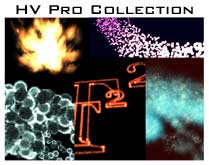
If you check out the
tutorfx website and
download the pdf that shows all the different HV
presets you get with this collection you will notice
that there a lot of different and interesting HV
presets here. If you are looking for water
(water, bubbles, and gel) or fire (lots of
different types of fire) or clouds or fuzzy things or just about anything else
then you've got an idea of what is in this
collection.
Some of the HV's are just plain cool - the cartoon
smoke for instance and the 70's streaks are really
interesting. I played with the 70's streaks
for a while. The Blue Sun Spot preset would
make a great nebula. The fuzzy balls is very
interesting. The
logo scenes are interesting too. The logo is
made up strictly of points with a variety of
different hypervoxels applied to these points.
Some of the presets
can take a while to render but then this is the
nature of Hypervoxels. Other presets are very
quick to render (these tend to use the sprite
mode). The PDF is great for finding a preset that
would like but I
thought it might have been really nice to have quick
little rendered avi's or mov's of the presets so
we could see what they looked like in
motion. I rendered a few of the sequences
and found that some worked just fine right
"out of the box" while some other
presets "popped". Most popping
occurred because particles were dying soon after
birth so a little tweek in the particle properties
should smooth things over. Now of course, I
doubt that many artists would use the scene files,
the HV presets are probably the best starting
point with a particle emitter that fits the
particular job at hand.
There are a lot of
presets with similar names, however upon
closer inspection a lot of these are completely
different from one another. I was pleased to find similar presets
created in very different ways which makes this
set indispensible for learning from. For
example, take the Crazy Flares presets, all are
created with virtually the same particle animation
but each one uses different procedurals in the
shading and hypertexturing tabs. Interesting
to see how different textures can affect the look
of the hypervoxels. Some of the Fires
presets are very different from one another while
some are very similar and just have minor changes
("Fires8, 9 and 10 are very similar with just
a few changes to the preset while the others are
quite different). By and large
though there are a lot of different presets and
only a few sets where the presets are basically
the same but with minor changes.
Now how long do you
think it would take you to create all 200 of these
different presets? My guess is that it will
take a lot more than $19.90 worth of your time so
this a great deal in my opinion. At the very
least you can start off with a look close to what
you are looking for and then tweak from there.
In closing - the presets are just
plain cool! In fact I really
like this whole collection. For a measly
twenty bucks you save yourself a whole lot of time
getting hypervoxels to look the way you want.
Even if there isn't the exact preset in this
collection for your needs it certainly has enough variation
that you can pick something close and then fine tune
from there. I'm glad this is in my LightWave
arsenal of tools and I recommend this collection.
|